Neuro-Tech
[Deep Learning 101] Understanding Deep Learning Starting from Images
Introduction
In the previous session, we explored how labeling assigns meaning to data so that deep learning models can understand the information required to perform specific tasks. Through this, we saw that data labeling requires a significant amount of time. Today, we will discuss AI-based labeling features, what types exist, and their characteristics.
What is a Foundation Model?
In deep learning, the goal is to build models that generalize well and perform reliably even on unseen data. One such approach is the foundation model, which is pre-trained on large-scale, general-purpose image datasets and can be quickly fine-tuned for various tasks with relatively small amounts of additional data. Examples include CLIP, SAM, DINO, and Segment Anything.
Thanks to this structure, foundation models can effectively handle new classes without additional training and enable fast and efficient labeling using pre-trained data.
Neurocle also achieves automation and significantly reduces resource usage through various AI labeling features based on foundation models.
Four AI-Based Labeling Features
There are various AI-based labeling features. For example, Neuro-T includes four representative AI labeling functions: Auto-Selector, Keyword Labeler, Shape Converter, and Auto-Labeling. These features minimize the time and effort required for the labeling stage, which is typically the most resource-intensive part of the vision inspection workflow.
As a result, they reduce the workload for operators and significantly improve labeling accuracy and consistency.
Auto-Selector: Labeling with a Single Click
Auto-Selector is an AI feature that performs labeling based on object characteristics. When a user clicks or drags over a region that needs labeling, the AI automatically detects areas with similar attributes centered around that point.
With just a single click and drag, users can easily add or remove labeled regions, significantly reducing the burden of repetitive tasks.
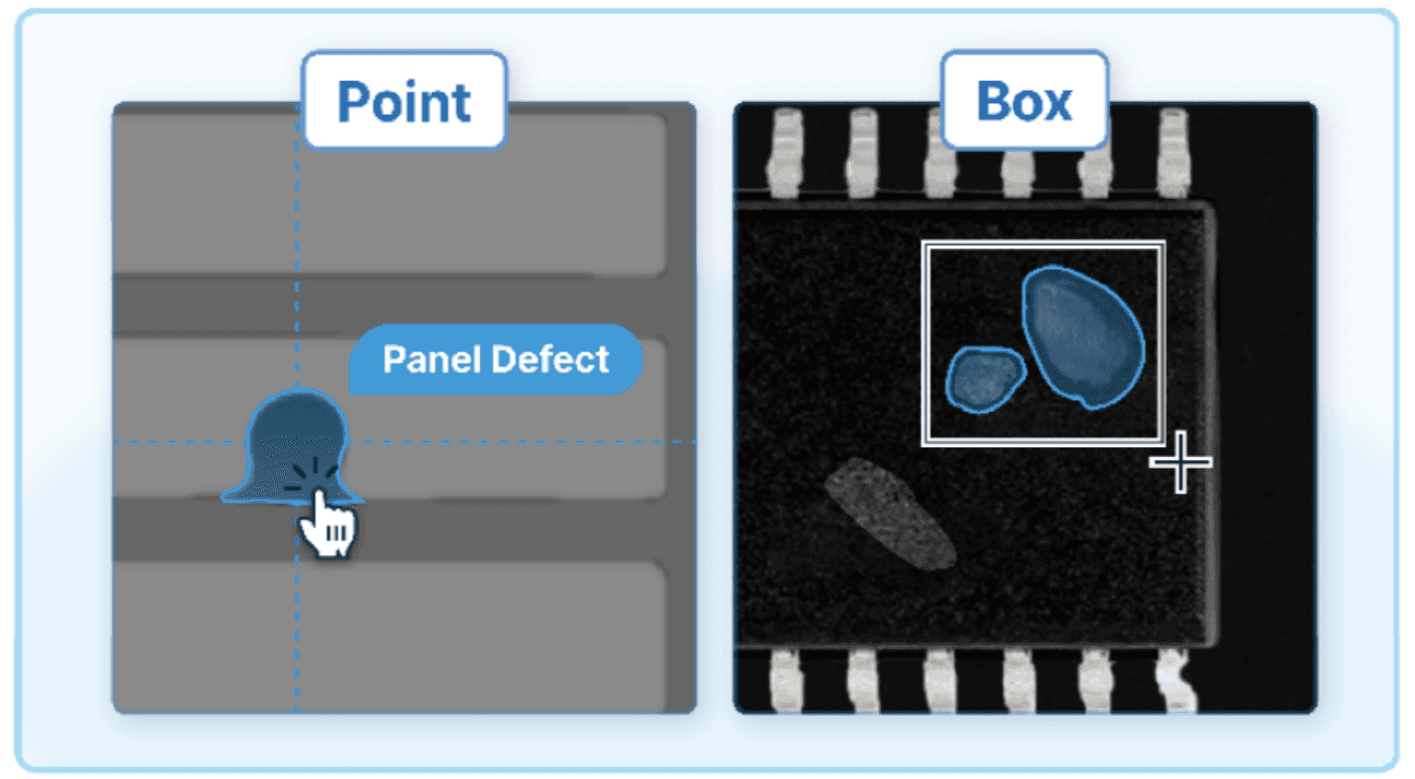
(Left) Point feature of Auto-Selector / (Right) Box feature of Auto-Selector
This feature is divided into two methods based on the object scope: Point and Box. Point automatically identifies and selects regions of objects with similar characteristics, while Box limits the selection to a specific area and labels only similar objects within that region.
In particular, Box allows for more precise control by enabling labeling only within a defined area. With Auto-Selector, users can achieve labeling precision comparable to manual labeling in the shortest possible time.
Keyword Labeler: Labeling with Simple Keyword Input
Keyword Labeler is a feature that performs labeling based on keywords. When a user enters a simple keyword, the system automatically detects matching regions within the image and labels them in a box format.
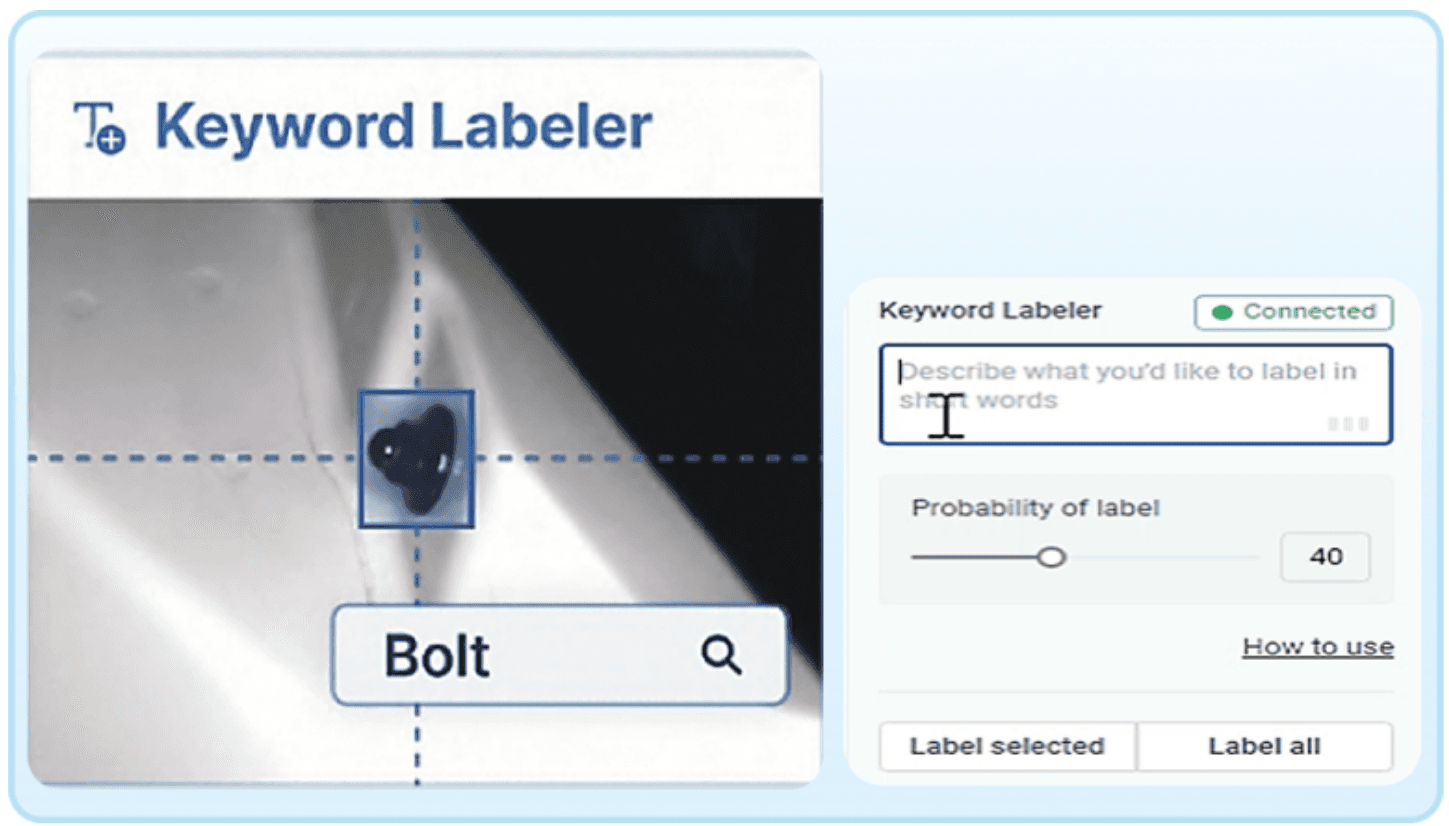
The biggest advantage of this feature is that it allows batch labeling across the entire dataset based on the entered keyword. This enables fast labeling of large volumes of images without repetitive work, significantly reducing processing time.
Another important aspect is labeling accuracy. Since Keyword Labeler also operates based on a foundation model pre-trained on large-scale datasets, it delivers strong performance not only in speed and convenience but also in labeling precision.
As a result, users can focus more on strategic and creative tasks.
Shape Converter: Converting Label Shapes with a Click
Shape Converter is a labeling feature that converts box-shaped label regions into more precise polygon shapes with a single click.
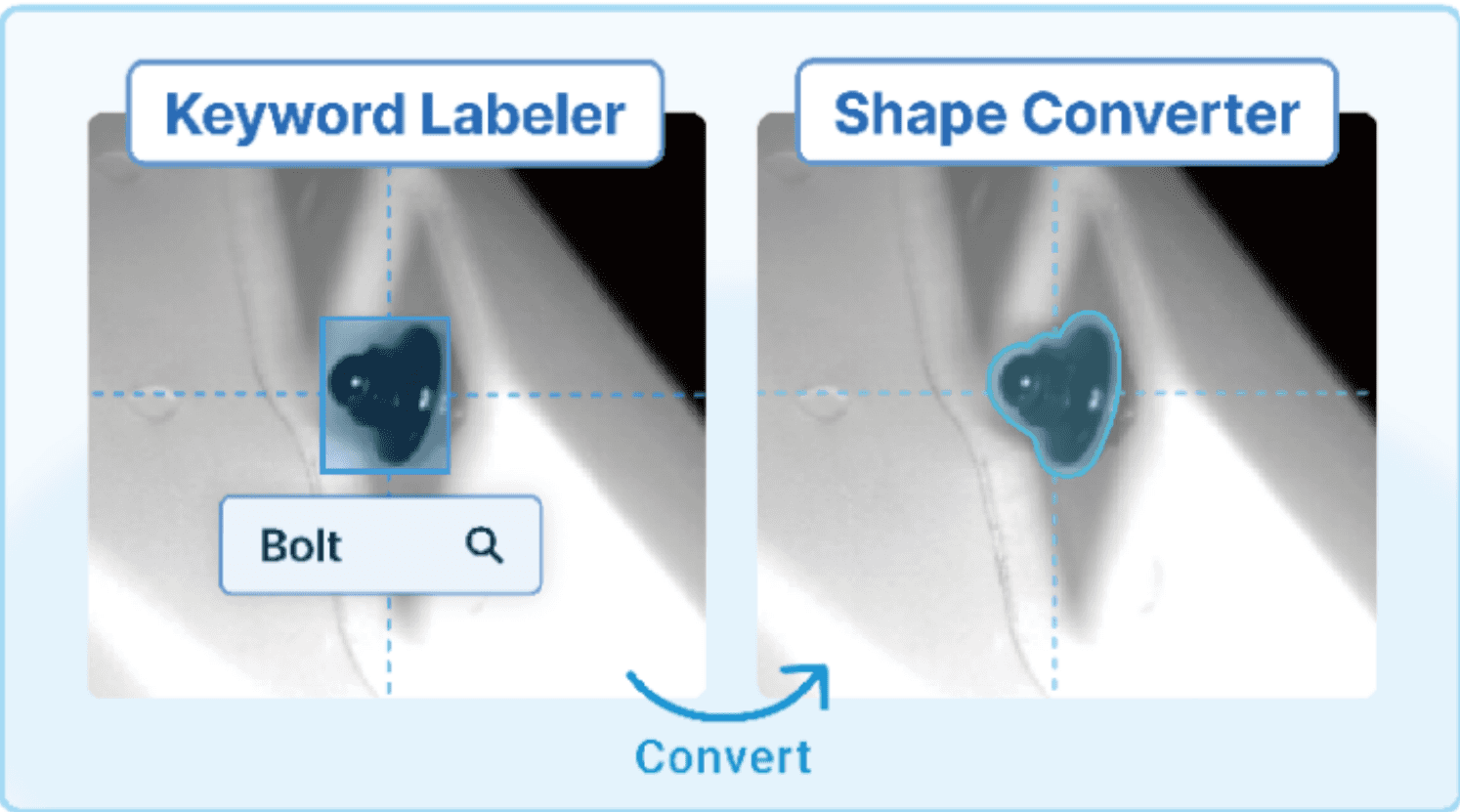
For example, after applying box labels across an entire image using Keyword Labeler, Shape Converter can easily transform all boxes into more detailed polygon shapes. This is particularly useful for training data where similar objects appear repeatedly or where object features are clearly defined.
With Shape Converter, users only need to review the labeled data instead of manually labeling each image, making the process highly efficient. Additionally, since label shapes can be adjusted to better match object characteristics, labeling accuracy is further improved.
Auto-Labeling: Automated Labeling with Minimal Training Data
Auto-Labeling is a feature that automatically suggests labeling regions for the remaining images based on a small number of pre-labeled images defined by the user.
This feature is especially effective when dealing with a large number of images or when highly precise labeling is required. It is also possible to first label a single image using Auto-Selector and then apply Auto-Labeling to perform batch labeling across all images using the same criteria.
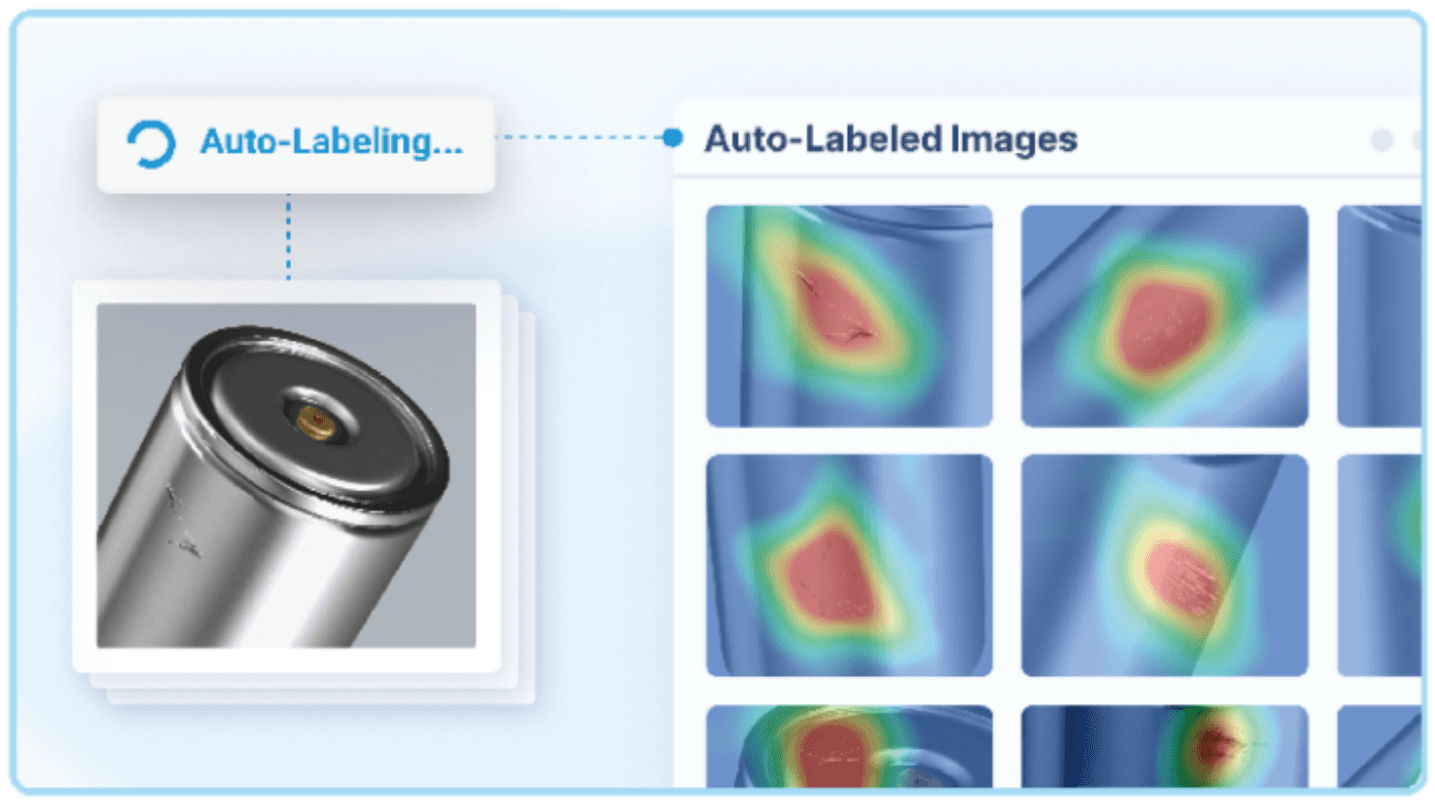
As a result, Auto-Labeling automates large-scale image labeling with minimal manual effort. Since users can define their own criteria, it provides both high flexibility and accuracy. This enables customized AI labeling that reduces working time while maintaining quality.
What Are the Benefits of AI Labeling Features?
In the process of building deep learning models for vision inspection, labeling is a critical step that provides the ground truth for model training. Therefore, precision and consistency in labeling are essential.
However, in real manufacturing environments, differences in individual standards or inaccurate labeling often occur, which can lead to degraded model performance. In particular, highly precise labeling tasks require significant time and manpower, making them a burden.
AI labeling features address these limitations through large-scale training data and automation. In the case of Neuro-T, features such as Auto-Selector, Keyword Labeler, Shape Converter, and Auto-Labeling enable labeling through simple actions like clicking, dragging, and keyword input, reducing repetitive tasks and significantly lowering the workload for operators.
Conclusion
In this post, based on the concept of labeling discussed previously, we explored how AI-based labeling features improve work efficiency and reduce effort. These features enhance precision and consistency, effectively addressing issues such as excessive resource usage and model performance degradation caused by manual labeling.
They also allow operators in manufacturing environments to focus on more strategic tasks, ultimately improving overall productivity and operational efficiency.
In the next session, we will build on this and explore the concept of deep learning models and model training in more detail.